Graphic Design Courses Online for Beginners: What Actually Works
Here's the trap almost every beginner falls into: you search "graphic design courses online for beginners," get hit with fifty listicles, pick the one with the prettiest thumbnail, and spend three months learning where every button is in Photoshop — without ever understanding why a layout feels right or why your color choices look amateur. I know, because I watched dozens of junior designers walk through that exact door. The good news? Once you know what separates a course that teaches design from one that teaches software, choosing the right one gets a lot simpler. This guide cuts through the noise with a clear framework for evaluating courses, honest picks across every price point, and the one thing most courses won't teach you that the 2026 job market absolutely demands.
Why Most Beginners Pick the Wrong Graphic Design Course
Most "best courses" articles are written by people who have never worked a day as a designer. They list every platform on the internet, compare subscription prices, and call it a guide. That's not helpful — it's a directory.
The real problem runs deeper. Beginners naturally gravitate toward courses that teach tools because tools feel tangible. "Learn Adobe Illustrator in 7 days" sounds achievable. "Develop your typographic eye" sounds vague. But here's what I've seen over and over: a designer who understands composition, color theory, and visual hierarchy can pick up any new tool in a weekend. A designer who only knows the tools? They plateau fast — every piece looks polished but feels empty.
Think of it like cooking. Learning to use a chef's knife is important, but if you don't understand flavor pairing, you're just chopping ingredients without making a meal. Design courses that teach fundamentals first are the recipe — tool courses are just the knife skills.
That distinction is the lens I'm using for every recommendation in this guide.
What Actually Matters in a Beginner Course
Before we get to specific courses, here's the evaluation framework I use. Four criteria, no exceptions:
1. Fundamentals depth. Does the course dedicate real time to typography, color theory, composition, and visual hierarchy — or does it rush through them in a single module to get to the tools faster? You want at least 30% of course time on fundamentals alone.
2. Portfolio building. Can you finish the course with at least three portfolio-worthy projects? This is non-negotiable. A certificate without a portfolio is a receipt without a purchase.
3. AI readiness. In 2026, this matters whether we like it or not. Does the course address generative AI tools like Adobe Firefly, Midjourney, or DALL-E as part of a professional workflow — or pretends they don't exist? Courses that ignore AI are teaching you for a job market that no longer exists.
4. Instructor credibility. Has the instructor actually worked as a designer? Industry practitioners bring real-world judgment that academics sometimes can't. The best courses have both — theoretical rigor from design schools, practical insights from working professionals.
💡 Tip: If a course description leads with the software name ("Master Photoshop CC 2026!"), that's a tool course. If it leads with a design concept ("Build a strong visual foundation"), that's a design course. Start with the latter.
Now, let's apply this framework to the courses worth your time.
The Best Graphic Design Courses for Beginners in 2026
I've organized these by price point, not by ranking — the "best" depends on your budget, learning style, and goals.
CalArts Graphic Design Specialization (Coursera)
CalArts Graphic Design Specialization is the gold standard for fundamentals-first learning. Offered by the California Institute of the Arts, this five-course series covers typography, imagemaking, design history, and a branding capstone project. Over 450,000 learners have enrolled, and it carries a 4.7 rating.
Why it works: The curriculum spends serious time on design thinking before touching tools. You learn why design decisions matter, not just how to execute them. The capstone project — developing a complete brand identity — gives you a genuine portfolio piece.
What's missing: AI integration. As of 2026, this specialization doesn't address generative AI tools in any meaningful way. You'll need to supplement with AI-specific learning.
Price: ~$49/month (Coursera subscription). Most learners finish in 2–3 months, so expect $100–150 total. Financial aid available.
Adobe Graphic Designer Professional Certificate (Coursera)
Adobe Graphic Designer: Design that Demands Attention is Adobe's own professional certificate, and it's the most AI-forward beginner program available right now. The five-course series covers design fundamentals with AI, generative AI content creation, Photoshop, Illustrator, and document design.
Why it works: It's the only major beginner certificate that integrates AI as a core part of the workflow, not an afterthought. You learn Adobe Firefly alongside traditional tools. The curriculum includes real portfolio projects — brand kits, logos, marketing materials. Plus, you get a free 4-month Adobe Creative Cloud trial.
What's missing: It's tool-heavy by design (it is Adobe, after all). The fundamentals modules are solid but not as deep as CalArts.
Price: ~$49/month. 4 months at 10 hours/week. Expect ~$200 total.
Google UX Design Professional Certificate (Coursera)
Google UX Design Professional Certificate isn't strictly graphic design — it's UX design. But for beginners deciding between the two fields, it's worth understanding. Over 1.39 million learners have enrolled. The eight-course series covers UX research, wireframing, Figma, and high-fidelity prototyping.
Why it works: Massive employer recognition. Google reports that 75% of graduates see positive career outcomes within six months. The portfolio — three end-to-end projects — is strong. The 2026 version includes AI skills for boosting UX workflows.
What's missing: It won't teach you graphic design fundamentals like typography or print design. If your goal is branding, editorial design, or illustration, this is the wrong starting point.
Price: $49/month. 6 months at 10 hours/week. ~$300 total.
Domestika: Project-Based Courses
Domestika's Graphic Design category offers individual project-based courses that are affordable and highly rated. Standouts for beginners include "Graphic Design for Beginners" by Silvia Ferpal (99% rating, 36,000+ students) and "Introduction to Adobe Illustrator" (98% rating, 219,000+ students).
Why it works: Each course produces a finished project — a poster, a brand identity, an illustration. That's portfolio material from day one. Instructors are working professionals. The courses are short, focused, and visually rich.
What's missing: No structured learning path. You're on your own to figure out which course to take next. No AI content. No certificate with employer recognition.
Price: Individual courses typically $10–30 each. Domestika also offers a subscription (Domestika Plus) for broader access.
Now you might be wondering whether any of these are actually worth paying for — or if free options can get you there.
Free vs Paid: What You Actually Get
Let's be honest about what free gets you and where paying actually makes a difference.
Genuinely good free options:
- Coursera audit mode — You can audit CalArts and most Coursera courses for free. You get all the video lectures and readings. What you don't get: graded assignments, peer feedback, certificates, and often the capstone projects that build your portfolio.
- YouTube — Channels like The Futur, Satori Graphics, and Yes I'm a Designer offer high-quality design education for free. But there's no structure, no accountability, and no feedback loop.
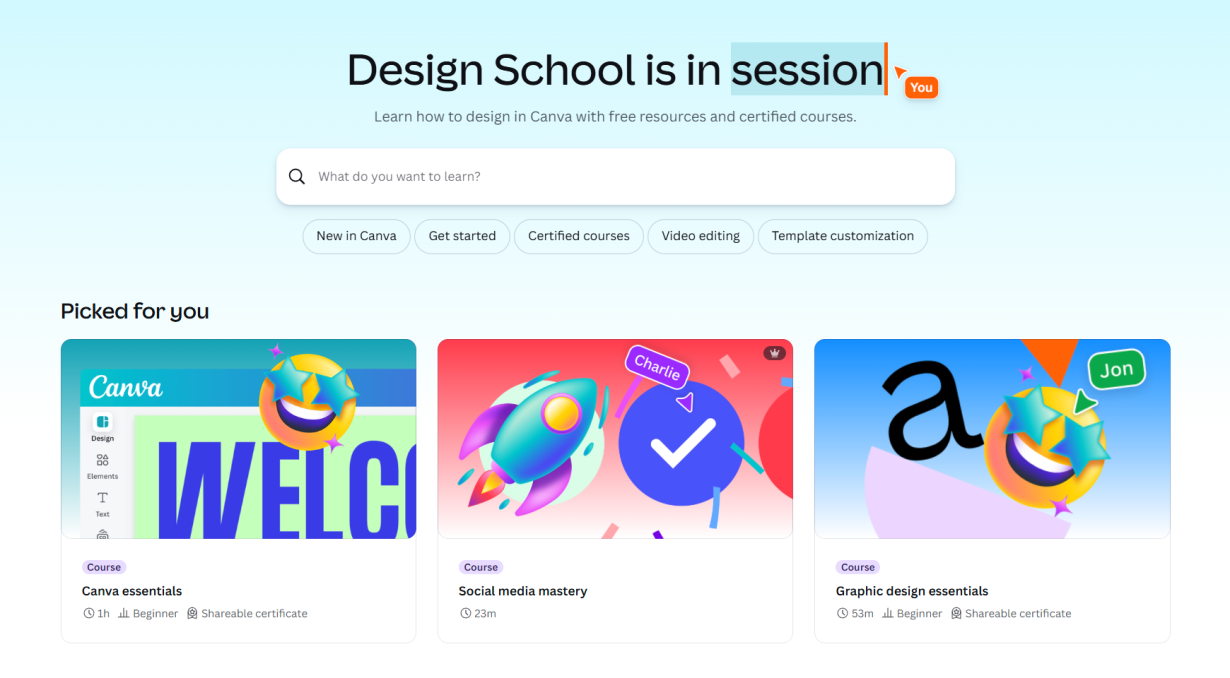
- Canva Design School — Free courses on Canva's own platform. Great for absolute beginners who want to understand layout and color basics before investing in paid tools.
Where paying matters:
- Portfolio feedback. The single biggest advantage of paid courses is getting real feedback on your work from instructors or peers. Design is subjective — you need outside eyes to improve.
- Structured progression. Free resources are a buffet; paid courses are a meal plan. If you're self-disciplined enough to build your own curriculum, free works. Most beginners aren't.
- AI tool access. Adobe's certificate includes Creative Cloud access. That's Photoshop, Illustrator, and Firefly for free during the course — tools that would cost $55/month on their own.
⚠️ Warning: Don't pay for a certificate thinking it'll get you hired. Hiring managers care about your portfolio, not your Coursera certificate. Pay for the learning and feedback, not the piece of paper.
The question I hear most often isn't about price, though. It's about AI.
AI Tools and the Modern Designer: What Courses Are Missing
Here's the uncomfortable truth: most graphic design courses for beginners were designed for a pre-AI world. They teach you to create every element from scratch — and that's still important — but they don't prepare you for a workflow where clients expect AI-accelerated turnaround and employers list "AI fluency" in job postings.
The tools that matter in 2026:
Adobe Firefly — Integrated directly into Photoshop and Illustrator. Generates images, patterns, and text effects from text prompts. If you're learning Adobe tools, Firefly is part of the package now.
Midjourney — Dominant for concept art, mood boards, and visual exploration. Not a replacement for design skills, but an accelerator for ideation.
Canva Magic Studio — AI-powered design suggestions, background removal, text generation. Where most beginners start anyway, and the AI tools are genuinely useful.
The designers who will thrive aren't the ones who resist AI or the ones who rely on it entirely. They're the ones who use AI the way photographers use presets — as a starting point that their trained eye refines into something intentional.
Think of it this way: a calculator doesn't make a mathematician, but every modern mathematician uses one. AI tools are the calculator. Your design fundamentals are the math.
If your course doesn't address this, you need to supplement. Adobe's own AI-integrated certificate is currently the most complete beginner program for this reality.
But whether you choose a course that covers AI or not, there's one thing no course can give you that you absolutely must build on your own.
Building Your First Portfolio Without Clients
Every beginner hits the same wall: "How do I build a portfolio when I have no clients?" Here's the approach that works, regardless of which course you take:
1. Redesign something that exists. Pick a real brand with a weak visual identity and redesign it. Show the before and after. Explain your design decisions. This demonstrates skill and thinking — exactly what employers want.
2. Create a fictional brand from scratch. Invent a coffee shop, a tech startup, a fashion label — whatever interests you. Build the full identity: logo, color palette, typography system, business card, social media templates. This shows you can carry a concept through multiple touchpoints.
3. Turn course projects into portfolio pieces. The capstone projects from CalArts, Adobe, and Google certificates are designed to be portfolio-worthy. But only if you push them beyond the assignment. Add your own spin. Make them better than "student work."
4. Document your process. A finished logo is fine. A finished logo with three pages of sketches, color explorations, and rejected directions? That's what gets you hired. Process shows judgment.
5. Use Behance or Dribbble. Both are free. Both are where creative directors actually look for junior talent. Post your work, tag it properly, and engage with the community.
🚀 Pro tip: Quality over quantity. Three strong, well-documented projects beat twenty polished-but-shallow ones. Every time.
Your portfolio is your real certificate. Treat it that way.
The Right Course Is the One That Makes You a Designer, Not Just a User
The best graphic design course for beginners isn't the one with the most stars or the lowest price — it's the one that teaches you to see design before it teaches you to make it. Start with fundamentals. Choose a course that forces you to build real projects. Supplement with AI tools because the field has already moved there. And build your portfolio like your career depends on it — because it does.
Whether you start with CalArts' depth-first approach, Adobe's AI-integrated certificate, or Domestika's project-based courses, the path is the same: learn to think like a designer first. The tools will follow.
Linh Nguyen
Graphic Designer
Passionate Graphic Designer | Specializing in Illustration Design | Bringing Captivating Visuals to Life