How to Brief a Motion Designer for a Brand Video in 2026
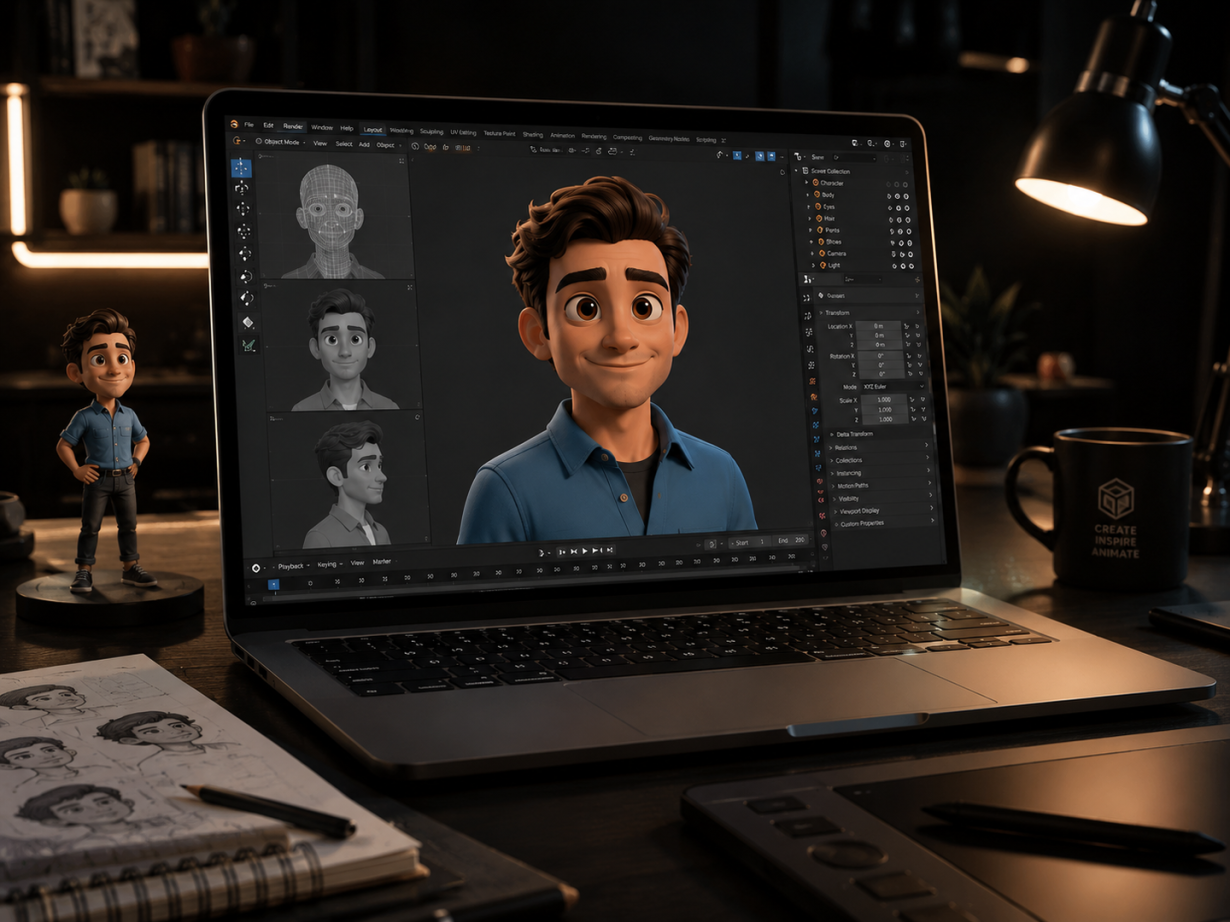
Ask any motion designer about their biggest project nightmare, and they will not complain about complex After Effects expressions, 3D render farm bottlenecks, or tight delivery deadlines. They will tell you about the brief that simply said: "We need a dynamic 60-second brand video that feels modern, premium, and makes our product pop."
Learning how to brief a motion designer for a brand video is the single highest-leverage skill a creative lead, marketing director, or startup founder can master. Motion graphics is a high-touch, multi-layered discipline where visual styling, narrative timing, vector rigging, and sound design intersect. When a brief is vague or unorganized, projects inevitably spiral into revision hell, blown budgets, and compromised visuals. When a brief is sharp, structured, and technically sound, the production flows seamlessly from concept to final render.
💡 The Golden Rule of Motion Briefs: A great creative brief does not dictate every single keyframe. Instead, it clearly defines the strategic problem, locks the script, establishes visual boundaries, and provides production-ready vector assets from Day 1.
Let's unpack why motion briefs derail before walking through the exact step-by-step framework to brief your motion designer for success in 2026.
The Real Cost of a Bad Brief: Why Brand Videos Derail
In static graphic design, revising a layout or swapping a headline font takes minutes. In motion design, a "small tweak" to the script or a late request to change an aspect ratio causes a catastrophic domino effect across the entire production pipeline.
When you ask for a voiceover change after keyframing begins, the motion designer must: 1. Re-time every motion curve and keyframe across the affected scene. 2. Re-choreograph incoming and outgoing scene transitions. 3. Re-align on-screen kinetic typography. 4. Re-cut and re-mix the background audio and sound effects (SFX) stems.
Vague Brief -> Iterative Guesswork -> Late Script Edits -> Broken Keyframes -> Budget Overruns
A well-crafted brief serves as the project's single source of truth. It protects your budget, respects creative momentum, and aligns all internal stakeholders before a single frame of animation is rendered.
The 6 Non-Negotiable Pillars of a Motion Design Creative Brief
Every bulletproof motion design brief must answer six foundational questions with total clarity.
1. The Strategic Objective & Core Message
What specific business challenge does this brand video solve? Are you launching a rebrand, explaining a complex technical workflow, or driving conversions for a new product tier? - Bad Objective: "Showcase our brand and look cool." - Good Objective: "Introduce our 2026 developer platform to enterprise engineering leads, highlighting our 3x speed improvement over legacy infrastructure."
2. Target Audience & Cultural Context
Who is watching, where are they watching, and what visual language resonates with them? A B2B fintech audience requires measured pacing, clean typography, and restrained easing, whereas a Gen Z consumer product demands rapid kinetic cuts, vibrant palettes, and bold visual metaphors.
3. Emotional Tone & Motion Personality
Motion conveys emotion through physics and timing. Instead of relying on meaningless buzzwords like "sleek" or "impactful", provide specific emotive adjectives: - Snappy & Tech-Forward: Crisp, linear easing with fast graphic transitions. - Organic & Human: Fluid, spring-based easing with hand-drawn illustration accents. - Authoritative & Minimal: Slow cinematic reveals, deep contrast, and bold typographic hierarchy.
4. Visual References (What to Do AND What to Avoid)
Never just drop a folder of random YouTube links without context. For every reference video you provide, explicitly annotate what you like about it: - "We love the transition style between 0:12 and 0:18 in Reference A." - "We like the color palette of Reference B, but the pacing is too frantic for our brand." - Crucial: Include a "What NOT to Do" section. Listing visual tropes or competitor styles you despise saves hours of exploratory concepting.
5. Distribution Platforms & Aspect Ratio Matrix
Where will the video live? Modern brand campaigns require multi-format deliverables. Designing for widescreen first and cropping for mobile later almost always cuts off important visual elements. Specify all required formats upfront: - 16:9 (1920x1080 / 3840x2160): Website hero, YouTube, sales pitch decks. - 9:16 (1080x1920): TikTok, Instagram Reels, YouTube Shorts. - 1:1 (1080x1080) or 4:5: LinkedIn and feed ads.
6. Hard Project Constraints & Budget
State your hard delivery deadline, interim review milestones, and budget parameters clearly so the motion designer can propose a realistic visual scope (e.g., 2D kinetic type vs. full custom character animation vs. 3D product renders).
The Technical Asset Handoff: What Motion Designers Need on Day 1
Handing off a creative brief without the proper technical assets is like giving a builder architectural blueprints without construction materials. When you start a brand video project, prepare your asset folder with professional precision.
1. Layered, Vector Artwork (.AI or .FIG)
Motion designers cannot animate flattened JPEGs or low-resolution PNGs. - Provide native Adobe Illustrator (.ai) or Figma files. - Organize your layers: Every element that needs independent movement (eyes, hands, buttons, background shapes, typography) must be placed on its own named top-level layer. - Convert all text elements to vector outlines or provide the corresponding font files.
Project_Assets/
├── Vector_Illustrations/
│   ├── Scene_01_Hero_Character.ai (Organized top-level layers)
│   └── Scene_02_Dashboard_UI.ai
├── Brand_Guidelines/
│   ├── Brand_Styleguide_2026.pdf
│   └── Color_Palettes.ase (Hex codes included)
├── Typography/
│   └── Licensed_Fonts/
└── Audio/
    ├── Voiceover_Master_48kHz_24bit.wav
    └── Music_Track_Licensed.wav
2. Brand Guidelines & Motion Systems
Provide your official typography rules, approved color hex codes, and logo safe zones. If your brand has an established motion design system, share the easing curve specifications and motion tokens.
3. Finalized Audio & Voiceover Stems
Voiceover determines the entire rhythm and pacing of animation. Provide clean, uncompressed 48kHz / 24-bit .wav audio files. If you are using voice talent, ensure the recording is fully edited and approved before keyframing begins.
The Milestone Approval Pipeline: Protecting Timelines & Budgets
Professional motion design studios like School of Motion and platforms featured on Motionographer rely on a sequential, progressive sign-off workflow. Following this milestone pipeline ensures no work is animated without prior visual agreement.
[Phase 1: Brief & Script Lock]
               │
               ▼
[Phase 2: Moodboard & Styleframes] ──Sign off on visual look & art direction
               │
               ▼
[Phase 3: Storyboard & Animatics]  ──Sign off on timing, layout & scene flow
               │
               ▼
[Phase 4: Full Animation]          ──Keyframing, visual effects & easing
               │
               ▼
[Phase 5: Sound Design & Delivery] ──Audio mixing, color mastering & exports
Why Styleframes Come Before Animation
Styleframes are full-color, production-quality static stills that demonstrate exactly what the final video will look like. It takes hours to refine a styleframe, but it takes days to animate a scene. Once styleframes are approved, the aesthetic "look" of the project is locked, eliminating subjective design debates during animation.
The Plug-and-Play Brand Video Motion Brief Template
Use this comprehensive, copy-ready template for your next motion design collaboration. You can paste it directly into tools like Notion, Milanote, or Boords.
# Creative Brief: [Brand Video Project Name] - 2026
- Project Name: [e.g., Nexus Platform Launch Video]
- Project Lead / Single Point of Contact: [Name & Email]
- Core Objective: [What business problem does this video solve?]
- Key Performance Metric: [e.g., Conversion rate on landing page, brand awareness]
- Primary Audience: [Demographics, professional roles, pain points]
- Single Key Message: [What is the ONE sentence the viewer must remember?]
- Call to Action (CTA): [e.g., "Start your free 14-day trial at domain.com"]
- Tone Adjectives: [e.g., Bold, energetic, precise, human, tech-forward]
- Visual Style: [e.g., 2D vector motion graphics, kinetic typography, 3D abstract]
- Reference Video Links:
- Link 1: [URL] - What we like: Dynamic text transitions at 0:15
- Link 2: [URL] - What we like: Clean UI mockups and color harmony
- What to Avoid ("No-Go List"): [e.g., No generic 3D floating spheres, no corporate blue palettes]
- Master Video Duration: [e.g., 60 seconds]
- Required Aspect Ratios:
- 16:9 Widescreen (1920x1080 / 4K) - Website & YouTube
- 9:16 Vertical (1080x1920) - Social Reels & TikTok
- 1:1 Square (1080x1080) - LinkedIn / Meta Ads
- Delivery Formats: [e.g., ProRes 422 HQ master + Web-optimized H.264 MP4]
- Layered Vector Files (
.ai / .fig with named layers) - Approved Brand Style Guide & Color Palettes
- Final Locked Voiceover (
.wav 48kHz/24-bit) - Licensed Music Track & Audio Stems
- Project Kickoff: [Date]
- Styleframe & Moodboard Sign-Off: [Date]
- Storyboard / Animatic Sign-Off: [Date]
- First Animation Cut (V1): [Date]
- Final Master Delivery: [Date]
Collaboration Best Practices: Eliminating Committee Chaos
Even with a perfect brief, team dynamics can make or break a project. Implement these three operational rules to ensure a smooth creative partnership:
1. Appoint a Single Decision-Maker
Never put your motion designer in a position where they receive conflicting feedback from three different department heads. Designate one creative lead responsible for filtering internal opinions, resolving contradictions, and delivering a unified, consolidated list of notes.
2. Timecode Every Piece of Feedback
Never send vague feedback like "The middle section feels too slow." Instead, use timecoded video review tools (such as Frame.io) or provide precise timestamps: - "At 0:14, speed up the transition into the dashboard UI by 12 frames." - "At 0:32, make the logo reveal scale up with more elastic spring easing."
3. Respect the Revision Limits
Standard professional agreements include two rounds of revisions per milestone phase (two rounds on styleframes, two rounds on animation). Clear communication and disciplined reviews at each stage prevent costly out-of-scope change orders.
Crafting Brand Videos That Move in 2026
Mastering how to brief a motion designer for a brand video is the secret weapon behind every memorable brand visual. When you replace ambiguity with structured creative strategy, provide clean vector assets upfront, and respect the progressive milestone workflow, you empower your motion designer to produce their best, most imaginative work.
Before launching your next video project, sit down with this framework, lock your script, gather your assets, and align your team. Your motion designer will thank you—and the final visual output will speak directly to your audience with authority and craft.
Tags
Linh Nguyen
Graphic Designer
Passionate Graphic Designer | Specializing in Illustration Design | Bringing Captivating Visuals to Life