The Hidden Geometry Problem: Why AI Vectorization Still Fails in 2026
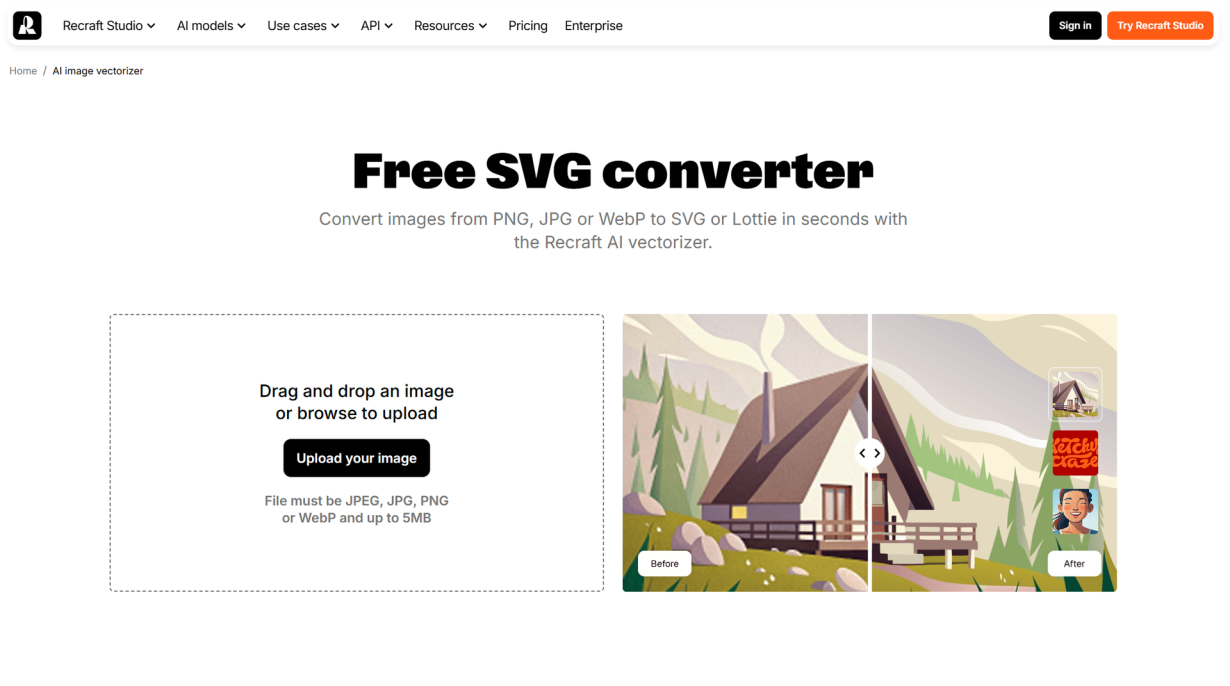
I spent three hours last week cleaning up an SVG that an AI generated in four seconds.
The logo looked fine at 100% zoom. The curves seemed smooth. The colors were right. But when I zoomed in to 300% — which any print shop will do — I found 847 anchor points on a shape that needed 124. The "circle" was actually a wobbly polygon with 47 vertices. And the text? The AI hadn't created a text element at all. It had traced the letterforms as distorted paths, mangling every serif along the way.
I'm a graphic designer. I live in vectors. And I've been watching the AI vectorization space with equal parts excitement and frustration. The promise is real: type a prompt, get an editable SVG. Upload a raster logo, download clean vector paths. Automate the grunt work that eats hours of every designer's day.
But here's what nobody's talking about: the problem isn't the tools. The problem is geometry itself — and the fact that today's AI models fundamentally don't understand it.
Why AI Can Generate Photorealistic Images but Can't Draw a Clean Circle
Let's start with something that sounds like a contradiction. Midjourney, DALL·E, and Stable Diffusion can generate images so realistic you can't tell they're not photographs. Yet the same underlying technology — when asked to produce a simple SVG of a circle — frequently fails.
The reason reveals everything about why AI vectorization is still broken in 2026.
Image generators like Midjourney are diffusion models. They work in visual space. They start with random noise and gradually refine it toward an image that matches your prompt — denoising pixel by pixel in a latent representation where spatial relationships are preserved. The model "sees" the image at every step. It can judge whether the shape looks right because it's operating on something it can visually evaluate.
SVG generators work completely differently. They don't work in visual space. They work in code space.
When an LLM writes SVG, it's predicting the next token in a text sequence. It has no idea what actually looks like when rendered. It's never seen its own output. It's just statistically guessing what characters should follow other characters, trained on text files of SVG markup.
This is the core architectural gap. Diffusion models learn visual concepts. LLMs learn token probabilities. And SVG — a format that exists at the intersection of code and visual art — exposes that gap brutally.
Imagine asking someone to draw a portrait while blindfolded, using only written instructions they've memorized from reading art books. They've never actually seen a painting. They've only read descriptions of brushstrokes. That's what we're asking LLMs to do with vector graphics.
The Token Problem: Why "100" Is Three Different Things to an AI
The second problem is even more fundamental — and it's one most designers never think about.
LLMs don't understand numbers. They understand tokens. When you type "100" into ChatGPT, the model doesn't see the integer one hundred. It sees something like ["1", "0", "0"] — three separate subword tokens that happen to sit next to each other in the training data.
This is called coordinate hallucination, and it's the single biggest reason AI-generated SVGs come out warped. A Bézier curve like C 80,20 120,120 150,50 describes a precise mathematical arc. But to an LLM, those numbers are just arbitrary tokens with no continuous spatial meaning. Changing 120 to 121 in a real SVG moves the control point by one unit — a subtle but precise adjustment. To a language model, 120 and 121 are entirely different tokens with no relationship to each other.
Researchers have documented this across multiple studies in 2025 and 2026. The HiVG paper from April 2026 found that SVG coordinate sequences create "severe token redundancy" — simple shapes balloon to hundreds of tokens, slowing training by over 30% and destroying spatial accuracy. The model literally can't tell if a coordinate makes geometric sense because it has no concept of geometry.
This is why AI-traced logos so often have "almost-right" curves. The model approximated the shape based on token statistics — not geometry. That circle with 47 vertices? Each vertex was a statistically likely token prediction. The model never knew it was supposed to be a circle.
No Eyes, No Feedback: Training Models That Never See Their Own Output
Here's the third piece of the puzzle, and it's the one that makes me skeptical about near-term fixes.
When you train a diffusion model to generate images, there's a built-in feedback loop: the model produces an image, compares it to the target, and adjusts. It sees its mistakes. Each training step is a visual quality check.
SVG generation models have no such loop. They produce code, and that code is evaluated against a text target — not a visual one. The training process never renders the SVG to check if it actually looks right. It only checks if the text tokens match the expected sequence.
Think about what this means in practice. An SVG model can produce perfectly valid SVG syntax that renders as complete garbage — and the training process has no mechanism to notice. The code is "correct." The visual output is broken. The model can't tell the difference.
A March 2026 paper called IntroSVG proposed fixing this by adding a generator-critic framework — essentially giving the model eyes. It adds a second model that renders the SVG, evaluates it visually, and sends feedback back to the generator. The results are promising: significantly cleaner paths, fewer anchor points, better geometric accuracy.
But here's the thing: IntroSVG is still research. It's not in any commercial tool yet. And until visual feedback loops become standard in SVG generation models, we're stuck with blindfolded artists.
Pro tip: When evaluating an AI vectorization tool, zoom to at least 400% and check anchor points. If a shape that should have 4 anchors has 40, the tool is guessing — not understanding.
The Hybrid Sweet Spot: Where AI Vectorization Actually Wins in 2026
I don't want to sound like an AI skeptic. I use Vectorizer.AI almost daily, and it's genuinely impressive. For the right jobs, AI vectorization saves me hours.
Here's my honest, designer-tested breakdown of where AI vectorization tools shine and where they fall apart in 2026:
Where AI wins:
Simple logos with bold shapes. A single-color icon on a clean background? AI traces it beautifully. Vectorizer.AI's deep learning often outperforms Adobe Illustrator's Image Trace, producing cleaner paths with fewer anchor points.
Batch processing low-stakes assets. Need 50 product icons vectorized for a web project? AI-first, spot-check after. You'll catch the 20-30% that need fixes without manually tracing all 50.
Rescuing low-resolution artwork. Client sends you a 200×200 pixel JPG of their logo and expects a billboard-ready vector? AI gets you 80% there in seconds.
Generating concept variations. Recraft can generate dozens of logo concepts from a prompt. Most won't survive cleanup, but one or two will spark a direction you wouldn't have drawn yourself.
Where AI still fails:
Typography. AI doesn't understand letterforms. Period. It traces them as distorted paths instead of creating actual text elements. If your artwork contains text, expect to rebuild it manually.
Complex illustrations with gradients and overlapping elements. AI produces "spaghetti paths" — thousands of tiny shapes where a human would draw a few clean curves with transparency.
Production-critical work. Embroidery, vinyl cutting, laser engraving, and large-format print need precision AI can't guarantee. A single misaligned node wastes material and money.
Geometric precision. Perfect circles, right angles, and symmetry are almost always slightly off. When I need a logo that will be printed 10 feet wide, I trace it myself.
The workflow that's working for me and other designers in 2026 is simple: AI drafts, human polishes. Let Vectorizer.AI or Recraft handle the first pass. Then open the result in Illustrator, zoom in, and clean. Node reduction, curve smoothing, text rebuild, color consolidation. The AI saves me the tedious parts. I do the parts that require judgment.
This isn't a compromise. It's the most efficient workflow that exists right now — and probably will be for a while.
What Designers Should (and Shouldn't) Trust AI to Vectorize
If you're a designer trying to figure out where AI fits in your vector workflow, here's my practical decision framework. I've arrived at this after months of trial, error, and more than a few "this looked fine on screen" moments:
Scenario | Trust AI? | Why |
|---|---|---|
Simple icon, solid shapes, screen use | Mostly | AI tracing is fast and accurate enough for web/digital |
Logo with text, destined for print | No | Rebuild text manually; AI will mangle it |
Brand-critical logo, large format | Manual or hybrid | One bad node on a billboard is unforgivable |
High-volume product images (e-commerce) | AI + spot QA | Batch process, manually check 20% |
Embroidery, vinyl, or laser-cut output | Manual only | Production tolerances demand human precision |
Concept exploration and ideation | Yes | Recraft and similar tools are excellent for this |
Vintage or damaged artwork restoration | Manual | AI gets confused by noise, artifacts, and uneven scans |
A few rules of thumb I've developed:
Always zoom to 400% before approving any AI-generated vector. If it passes at 400%, it'll probably survive production.
Check your anchor points. If a simple shape has more than 8 anchors, the AI guessed.
Rebuild text elements yourself. Never trust AI-traced type. It's always faster to retype than to fix traced letterforms.
If the output will be physically produced, do a manual pass. The cost of a rejected production run dwarfs the time saved by skipping cleanup.
The tools are getting better. StarVector — an open-source foundation model from 2025 — treats SVG generation as a code-generation task rather than a pixel-tracing problem, and the results are noticeably cleaner than older approaches. Recraft V4, released in early 2026, is the first commercial tool to generate native SVG directly from text prompts without a raster intermediate step. The progress is undeniable.
But the fundamental geometry problem remains. Until AI models can see what they draw — until they understand that a circle has one center and one radius, not 47 vertices — designers who know how to use the pen tool aren't going anywhere.
The next time you open an AI-generated SVG and find 847 anchor points where 124 would do the job, you'll know exactly why. It's not that the AI is sloppy. It's that the AI has never seen its own work.
And until it does, I'll keep my pen tool sharp.
Tags
Linh Nguyen
Graphic Designer
Passionate Graphic Designer | Specializing in Illustration Design | Bringing Captivating Visuals to Life