How to Use Halftone Patterns in Design: The Intentional Designer's Guide
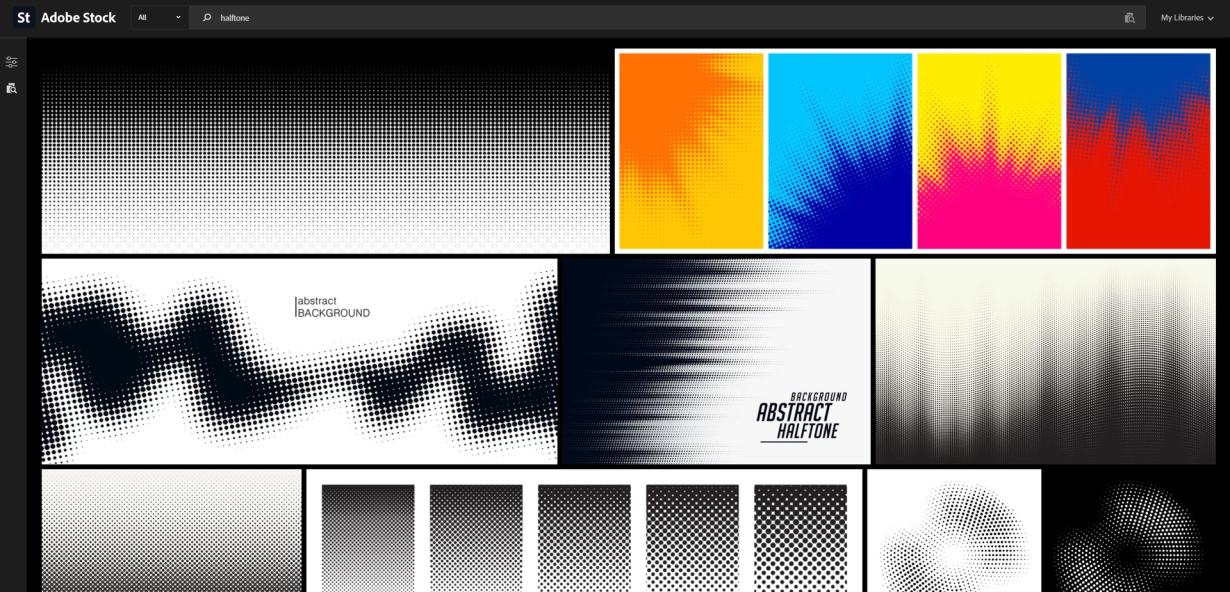
You open a design, apply the halftone filter, and the result looks — like a halftone filter. Dots in a gradient. Retro feel. Done.
Except: the dots are fighting the type. The density is wrong in the shadows. The effect looks pasted on rather than integral. You followed the steps correctly. The result is still weak.
The problem is not your software. The problem is that you treated halftone as an effect to apply rather than a system to design with. Halftone is not a filter. Halftone is a tonal language — one that has rules, trade-offs, and enormous expressive range if you understand how it actually works.
Here is how it actually works.
What Halftone Actually Is (And Why Most Designers Don't Know It)
Halftone was invented to solve a problem: printing presses cannot reproduce continuous tone. A photograph has millions of shades of gray. A printing press can only lay down ink or not lay down ink — solid or nothing. The solution was halftone: replace tonal variation with dot variation. Small dots, barely visible, represent light tones. Large dots, filling more of the page, represent dark tones.
The critical insight is this: the dot is not the tone. The dot is a representation of the tone. What you see as dots your brain reads as smooth gradient. This is a perceptual trick, not a visual fact.
Most designers learn halftone through its output — the vintage print look, the comic-book halftone overlay, the retro gradient. This teaches them what halftone looks like. It does not teach them how it works. And without understanding the mechanism, it is impossible to use halftone intentionally rather than decoratively.
The shift that changes everything: stop thinking about halftone as dots on a background. Start thinking about halftone as a tonal translation system — a way of converting one kind of visual information into another, with real decisions at every step about how that translation should work.
How Dot Size, Shape, and Density Create Tone
Three variables control everything halftone does visually. Understanding them individually is the difference between applying halftone and designing with it.
Dot size is the primary tonal control. Larger dots cover more of the substrate — more ink hits the paper, and the area reads as darker. Smaller dots cover less surface area and read as lighter. The range between minimum and maximum dot size is the tonal range of your halftone. Set the minimum too small and the highlights will plug up or disappear entirely. Set the maximum too large and the shadows will lose detail and become solid ink.
Dot shape is where most designers leave value on the table. Round dots are the default because they map most naturally to human perception of roundness and distance. But elliptical dots — rotated ovals — can create directional energy in a composition. Square dots create a more graphic, gridded feel. Diamond dots sit between round and square in visual character. Each shape has its own tonal behavior at the extremes: round dots begin to touch each other at roughly 70% tone, while square dots touch earlier. This changes where your shadow detail will fall.
Line screen frequency — the number of dots per inch — controls resolution of detail. Higher screen frequency (more dots per inch) means more tonal steps and more detail resolution. Lower screen frequency means fewer steps, a coarser texture, and a more graphic feel. A 65-line screen has visible texture and a strong graphic character. A 150-line screen approaches photographic smoothness. For screen design work, 85 to 120 lines per inch is the practical range where the halftone texture is visible without being distracting.
The interaction between these three variables is where intentional halftone design lives. You are not choosing a filter preset. You are composing a tonal translation.
Where Halftone Works in a Composition
Halftone is not one technique with consistent applications. It has at least four distinct compositional uses, and using it in the wrong context is what produces the pasted-on effect most designers have experienced.
Tonal substitution is the original use and still the most reliable. Where a photograph or illustration has smooth gradients, halftone provides an alternative reading of that gradient — one with texture, materiality, and print-born character. This works best when the underlying image has tonal complexity that benefits from the translation, rather than flat areas where the dots do not have meaningful tonal information to represent.
Texture as compositional element. Halftone adds visible material texture to flat areas of color. This is why it appears so frequently in poster design — a field that lives and dies by the relationship between flat color and graphic texture. The halftone texture gives the color field a physical quality that pure flat color lacks. When used this way, halftone does not represent tone. It generates its own texture against other flat areas of the composition.
Dot density as directional guide. The eye follows density gradients. Dense dot areas pull attention. Light dot areas recede. This makes dot density a compositional tool — you can use it to lead the eye through a design the same way you use contrast or value. A halftone that transitions from coarse dots in one corner to fine dots in another creates implied movement and spatial hierarchy that exists independently of the subject matter.
Halftone as overlay. A halftone overlay — dots printed at a percentage of full tone over an image or background — is a distinct technique from tonal substitution. This is where the dots read as a texture layer on top of existing information, rather than as a translation of that information. Overlay works best when the underlying content has enough contrast for the dots to register as texture without obscuring the content beneath.
The common failure mode: using tonal substitution in a context where overlay is appropriate, or vice versa. If you want texture, use overlay. If you want to translate tone, use substitution. Mixing the two without a clear intention produces mud.
Halftone Beyond Retro: Contemporary Applications
Halftone has a retro reputation that is well-earned and also limiting. The retro look — dense black dots, grainy midtones, that specific mid-century print quality — is one valid use of halftone. It is not the only one.
Editorial design uses halftone with increasing sophistication. Contemporary editorial designers use halftone not as a nostalgic reference but as a tonal tool — dot structures that provide texture and visual interest without the full retro package. High-frequency halftone screens over duotone treatments are a staple of current editorial aesthetics. The dots are there; the vintage connotation is not.
Brand identity and packaging. Dot structures appear in brand systems and packaging as a way to add visual texture and implied material quality. When a brand uses a dot pattern in its collateral, it is drawing on the material memory of print without committing to the full retro aesthetic. This works best in the context of brand systems that value texture and craft — food and beverage brands, independent retail, artisan goods.
Screen and digital design. Halftone translates surprisingly well to screen contexts when implemented intentionally. CSS and SVG allow you to build halftone dot structures that respond to scroll, hover, and interaction states. The dot grid becomes a responsive surface. On high-DPI displays, halftone dot patterns render crisply enough to function as design elements in their own right rather than imitations of print.
Motion design. Halftone dot structures can be animated by modulating dot size over time — a tonal shift translated into motion. This is visually distinctive and more interesting than simple opacity or scale animations. Several contemporary motion designers use halftone as a recurring visual motif across campaign work.
The common thread across all contemporary applications: the designers using halftone effectively have stopped treating it as a shortcut to a vintage look and started treating it as a dot-based tonal system with its own visual vocabulary.
Common Halftone Mistakes and How to Fix Them
These failures appear repeatedly in student work and production design. Each has a clear cause.
Applying halftone to an image that does not need it. This is the most common mistake. Halftone is visually demanding — the dot structure demands to be read. If the underlying image is flat, low-contrast, or already texturally complex, halftone competes with the image rather than serving it. The question to ask before applying halftone: does this image benefit from tonal translation, or would it be better served by its natural tone?
Ignoring the substrate color. Halftone dots sit on the paper or surface. The color of that surface affects how the dots read. White paper makes dots read as ink against white. Colored stock changes the tonal equation entirely. A halftone that looks perfect on white paper may look muddy on cream, or too light on black stock. Test your halftone on the actual substrate before finalizing.
Wrong dot shape for the subject matter. Round dots are neutral and work with most subject matter. But a design built on strong vertical or horizontal energy — architecture, typography, linear structures — can benefit from an elliptical dot rotated to match the dominant axis. Square dots work against curved, organic subject matter and can strengthen geometric compositions. This is a judgment call, but it is a judgment call worth making intentionally.
Plugging up the shadows. At the dark end of a tonal range, dots grow large and begin to touch. When they touch fully, the result is solid ink — the shadow detail is gone. This is called plugging. The fix is to adjust the tonal curve so the maximum dot size stays below the plugging threshold, or to move the halftone into an overlay treatment rather than tonal substitution.
Using halftone as a fix for a weak image. If the underlying image has poor tonal range, poor contrast, or poor composition, halftone will not fix it. The dot structure will amplify the image's weaknesses rather than compensating for them. Fix the image first. Then decide whether halftone serves it.
Choosing Your Halftone Parameters Intentionally
Here is a decision framework for setting halftone parameters deliberately rather than accepting defaults.
What is the output context? Screen, offset print, risograph, and digital display each behave differently with halftone. Offset print handles high-frequency screens (120–150 lpi) smoothly. Risograph has a natural dot structure that responds best to lower frequencies (40–65 lpi) and produces a different dot shape than offset. Screen design should stay in the 60–100 lpi range for visible texture without pixellation on standard displays.
What is the substrate? White paper: full tonal range available. Colored stock: adjust the highlight and shadow endpoints to account for the base color showing through the dots. Dark stock: consider a reverse halftone — large dots representing light tones, small dots representing shadow — or a halftone on a tint base.
What is the tonal range of the source image? A high-contrast image with full tonal range can support a wide tonal translation. A low-contrast or limited-range image needs a narrower tonal translation — compress the dot size range so the available tonal information maps cleanly to the available dot sizes.
What is the visual intention? Coarse halftone (35–65 lpi) is a graphic texture. Medium halftone (65–100 lpi) is a tonal translation with visible texture. Fine halftone (100–150 lpi) approaches photographic smoothness with minimal visible texture. Choose based on what you want the result to feel like, not what the software defaults to.
The Takeaway
Halftone is not a vintage filter. It is a tonal system with four centuries of development behind it and real compositional potential when used intentionally.
The designers who get the most out of halftone are the ones who stopped asking "what halftone preset should I use" and started asking "what tonal information do I have, how do I want it to read, and what dot structure serves that reading best."
Those questions take thirty seconds longer to answer than clicking a filter preset. The difference in the result is not subtle.
Next time a design needs tonal texture, dot structure, or a material quality that flat color cannot provide — go deeper than the default. The halftone you design will look like it belongs in the work, rather than pasted on top of it.
Tags
Linh Nguyen
Graphic Designer
Passionate Graphic Designer | Specializing in Illustration Design | Bringing Captivating Visuals to Life