Mistakes When Choosing a Hosting Platform for Design Projects
I learned the hard way that a hosting decision made in ten minutes can cost you two years of regret.
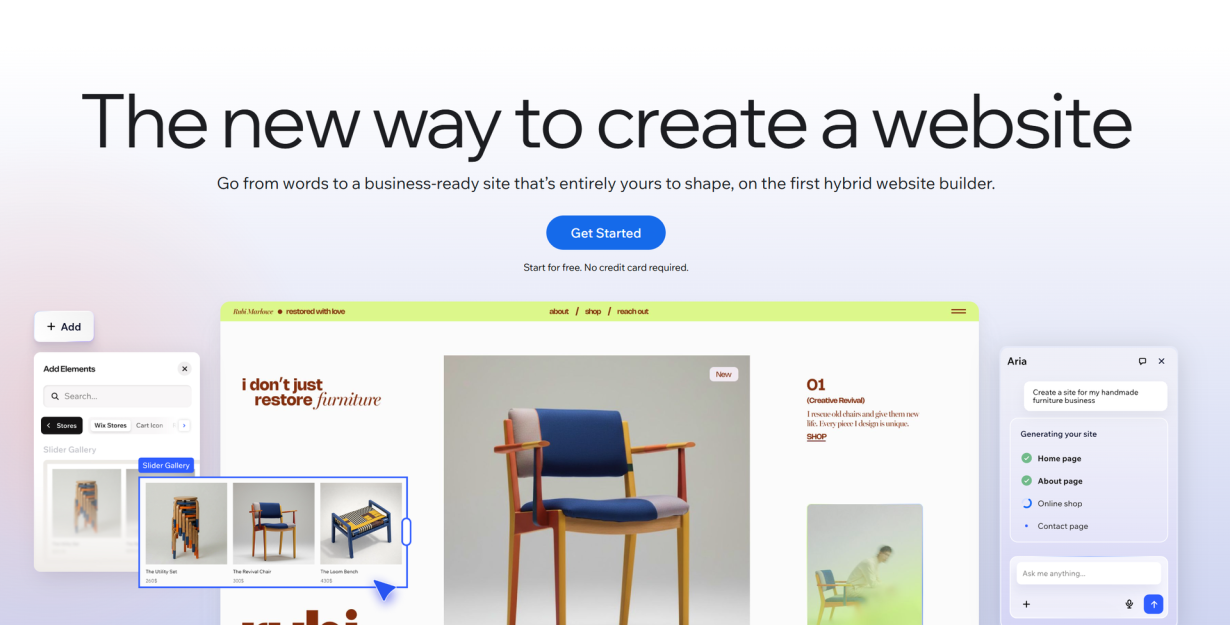
Early in my career, I built a portfolio on a platform that promised "everything you need, zero setup, just drag and drop." It was beautiful. It was easy. It was also a prison. When I outgrew it two years later, I discovered I couldn't export my site. No XML dump, no HTML backup, no database access. I rebuilt everything from scratch — every page, every image alt tag, every carefully crafted meta description. The SEO equity I'd built over two years? Gone. It took me eighteen months to recover my search traffic.
That experience taught me something no hosting comparison article ever says — though real-world examples like Bread Design's case study of a client whose cheap host broke custom typefaces and crippled page speed confirm the pattern: the platform you start on is almost never the one you end on. The real skill isn't picking the "best" host — it's picking a host you can leave without burning your business down.
The Hosting Decision Designers Get Right Once and Wrong Forever
Most designers treat hosting like buying a house. You research, you compare, you commit, and then you live there for years. That mental model is wrong. Hosting for a design project is more like renting an apartment — you need a move-out checklist before you sign the lease.
The numbers back this up. A 2026 infrastructure report found that 62% of high-growth companies outgrow their website architecture within 24 months. Not might outgrow. Do outgrow. If you're a freelancer taking on bigger clients, or a small studio scaling to agency work, or a designer whose side project turns into a real business — you will hit the ceiling of whatever platform you picked on day one.
The mistake isn't outgrowing your host. That's normal. The mistake is discovering you can't leave when you need to.
What makes this worse is how the design industry talks about hosting. Every listicle ranks providers by speed, uptime, and "ease of use." None of them rank providers by how easy it is to export your work and walk away. That's like ranking apartments by the lobby decor and never mentioning whether you can break the lease.
The $2.99 Lie
Walk through any hosting comparison page and you'll see it: SiteGround from $2.99 a month. Bluehost from $1.99. HostGator from $2.75. These numbers are not the price. They are the introductory price, offered only when you prepay for three years upfront, and when that term ends, the real price kicks in.
SiteGround's $2.99 becomes $17.99. Bluehost's $1.99 becomes $9.99. HostGator's $3.75 jumps to $13.19. That's a 200 to 400 percent increase on renewal.
For a solo designer with a single portfolio site, the difference between $36 a year and $216 a year is annoying. For a small studio managing ten client sites, that's the difference between $360 a year and $2,200 — money that could have gone toward better tools, a freelance illustrator, or just not working that extra weekend.
Then there's the "free domain" offer. That free domain renews at $40 to $55 a year through the hosting company — two to four times what Cloudflare or Porkbun charges for the same TLD. I know an agency that used SiteGround's free domain promo for fifteen client domains. When renewal hit, the line item was $495 a year in unexpected domain fees. The domains were locked into the hosting account, and transferring them out meant navigating a deliberately confusing support process.
The fix is dead simple and it takes five minutes: register your domains at a dedicated registrar. Keep them separate from your hosting. If your host doubles its prices overnight, you change your DNS and walk. If your domain is tangled up in the hosting account, you negotiate from a position of weakness.
Do this right now: open your hosting dashboard and check what your next renewal actually costs. Not the plan name. The dollar amount. If you can't find it easily, that's the first red flag.
Which Platforms Lock In Your Design Work
Not all lock-in is created equal. Some platforms make migration annoying. Some make it impossible. Here's what you're actually dealing with, sorted from worst to best:
The total lock-in tier:
- Wix offers no site export. You can export blog posts as a CSV (capped at 1,000) and products (up to 5,000), but your design, layout, pages, and structure stay behind. You leave Wix, you rebuild from zero.
- GoDaddy Website Builder has no export tools whatsoever. Users are literally advised to right-click and Save Image As to preserve their content.
- Squarespace 7.1 removed XML export entirely. You can manually reconstruct pages, but there is no bulk export path.
The partial lock-in tier:
- Squarespace 7.0 still has XML export, but it skips album pages, cover pages, and portfolio pages — exactly the content designers care about most.
- Shopify lets you export products and customers, but analytics data, customer passwords, abandoned cart sequences, and browsing behavior data stay locked in the platform.
The open tier:
- WordPress exports everything — posts, pages, media, custom post types, ACF fields — as a single XML file that any WordPress host can import. Plugin ecosystems like WP Migrate make moving between hosts a one-click operation.
- Static site generators (Hugo, Jekyll, Eleventy, Astro) keep your content in plain Markdown files and your templates in HTML. Hosting is just a folder of files you can drag to Netlify, Cloudflare Pages, GitHub Pages, or an S3 bucket without any conversion step.
This is not an academic concern. Research analyzing 892 domain migrations found the average site took 523 days to recover its search traffic after a platform move. Seventeen percent never recovered. A bad migration doesn't just waste a weekend — it can erase years of SEO work.
Before you commit to any platform, ask one question: "If I need to leave in two years, exactly what do I get and how long will the rebuild take?" If the answer is vague or the support doc is hard to find, treat that as the warning it is.
The Scaling Cliff: When Five Client Sites Become Fifty
This one creeps up on you. You start your design career with a personal portfolio and maybe two small client sites on a shared hosting plan. It works fine. Then you land three more clients. Then one of them asks you to manage their WooCommerce store. Then another needs a membership site with logged-in user areas.
Suddenly your shared hosting plan is hosting ten sites, each with different plugin stacks, different PHP version requirements, and different traffic patterns. One client's Black Friday campaign spikes traffic and takes down every other site on the server. A caching tweak that helps the portfolio breaks the ecommerce checkout. A security rule that blocks spam on one site kills form submissions on another.
This is the fragmentation trap, and it's how most design studios outgrow their hosting. According to Pressidium's 2026 analysis, the typical agency stack becomes a patchwork of performance plugins, security plugins, CDN services, and client-chosen hosts — and when something breaks, "agencies own the blame."
There's also a newer, stranger cost eating into hosting budgets: AI crawlers. By 2026, non-human traffic from GPTBot, Claude crawlers, Google-Extended, and others accounts for 29% of all web traffic. One repair guide site documented $5,000 in unexpected bandwidth charges from crawlers alone — bots were indexing their pages thousands of times per day, and their host charged for every byte.
Containerized hosting — where each site runs in its own isolated environment with defined CPU, RAM, and PHP worker limits — used to be an enterprise luxury. In 2026, it's table stakes. Platforms like Kinsta, Cloudways, and Pressidium now offer per-site container isolation at prices accessible to small studios. If your current host puts all your sites on one shared resource pool, you're already past the point where that's safe.
Choosing a Hosting Platform for Design Projects: The Exit-First Framework
Every hosting decision you make should be reversible. Here's the checklist I use now, after learning the hard way:
1. Export: What exactly do I get when I leave?
Can you produce a full, working copy of your site — design, content, media, metadata — in a standard format that another platform can ingest? If the answer is "we don't have an export button," walk away.
2. Domain: Who actually controls my URL?
Your domain registrar and your hosting provider should be different companies. Always. If you registered your domain through your host, transfer it out now. Cloudflare and Porkbun charge wholesale prices with no renewal markup.
3. Backups: Are they portable?
Host backups are useless if you can't restore them somewhere else. Run independent offsite backups — Backblaze B2, an S3 bucket, even Dropbox — and test a restore at least once. The 3-2-1 rule exists for a reason: three copies, two media types, one offsite.
4. Migration path: Is there a documented process?
Before signing up, search "[platform name] migration guide" and see what comes back. If the top results are forum threads full of people asking how to leave and getting vague answers, that's your signal. Good platforms publish migration documentation. Great platforms build migration tooling.
5. Contracts: Are there penalty clauses?
Read the Terms of Service before you pay. Look for auto-renewal clauses, early termination fees, and data retention policies. If the ToS is 15,000 words of dense legalese and you can't find the cancellation section, ask support directly: "What happens to my data when I cancel?" Save their answer.
Score your current host against these five questions. If you get less than 3 out of 5, start planning an exit now — while you're not under pressure — rather than waiting until something breaks and you have to move in a panic.
What Good Hosting Actually Costs in 2026
Let me give you real numbers, not introductory teaser rates, for what hosting actually costs at each stage of a design career.
Solo designer with a portfolio and maybe two client landing pages: $0 to $15 a month. Netlify and Cloudflare Pages both have generous free tiers with SSL, CDN, and custom domains. If you need a CMS, a $5 DigitalOcean droplet running WordPress or a Ghost(Pro) starter plan at $9 a month covers everything. You do not need a $30 managed host for a portfolio.
Small design studio with five to ten client sites: $20 to $50 a month. Cloudways starts at $14 a month for a managed VPS with container isolation per site. SiteGround's GrowBig plan at $4.99 (introductory) handles multiple sites with staging tools. At this tier, the priority is per-site isolation so one client's traffic doesn't take down another's.
Growing agency with twenty-plus client sites: $100 to $300 or more a month. Kinsta, WPEngine, and Pressidium are the standard picks here — they provide container isolation, white-label client dashboards, automatic offsite backups, and staging environments per site. If you have DevOps capability, a self-managed VPS cluster on DigitalOcean or Vultr with something like Coolify can bring costs down, but you trade money for time.
The non-obvious costs that catch designers off guard: SSL certificate renewals if your host doesn't include them free (any good host does in 2026, but verify), backup storage once you exceed your plan's allocation, domain renewal at the inflated hosting-company rate, and AI crawler bandwidth if you're on a metered plan. Budget an extra 15 to 20 percent on top of the sticker price for these.
I pay more for hosting now than I did five years ago, and I'm happy about it. Not because I enjoy spending money, but because I know exactly what I'm paying for: the ability to leave whenever I want, with all my work intact, in a format any other platform can read. That's not a hosting expense. That's insurance on years of design work and SEO equity you can't get back.
And if you take nothing else from this post, take this: separate your domain from your hosting today. Right now. Not next week, not when the renewal comes up. If that's the only thing you change, you've already avoided the mistake that costs designers more time and money than any other.
Tags
Linh Nguyen
Graphic Designer
Passionate Graphic Designer | Specializing in Illustration Design | Bringing Captivating Visuals to Life