RGB to CMYK: Keep Your Design Working in Print
Make RGB to CMYK a design review
Your poster looks convincing on screen. The blue holds the composition together, the orange gives the headline energy, and the small details feel crisp. Then you see the print preview or a sample, and the balance has changed. The subject no longer stands apart from the background. The accent feels quieter. The design needs another look.
Approach RGB to CMYK as a review of the design's visual relationships. Identify what the color is doing, preview the intended printing condition, and decide which adjustments preserve the idea. A successful print version should still communicate the message, even when the medium cannot reproduce every screen color exactly.
This guide focuses on a designer's choices and client conversations. For application steps, use our RGB-to-CMYK conversion workflow. The examples here are hypothetical design exercises, not results from a client project or a measured print test. Sources were checked on October 16, 2026.
Key takeaways
Define the role of each important color before changing the palette.
Review the composition under the intended output conditions, not an unexplained default.
Adjust contrast, placement, or a supporting color when those changes better preserve the design.
Let the client compare meaningful print options and understand the tradeoff.
Keep the approved reference and production conditions with the final artwork.
Treat the palette like a cast of characters. One color might lead, another supports it, and a quiet background gives both room. When their relationships change in print, review the cast together rather than asking each color to solve the problem alone.
Decide which color relationships must survive
Write down what the palette contributes to the brief. A children's event might need a playful accent and a clear invitation. An editorial illustration might depend on a figure standing apart from a dark setting. A brand identity might need a recognizable dominant color across several materials.
These are different approval questions. A blue can become slightly different while the illustration still works. A small shift in a tightly specified brand application may need discussion before anyone approves production. Decide which kind of decision you are making.
Give the main color a specific role
For each important color, describe its job in plain language: the main brand cue, the attention-getting accent, the background, or the text. Then identify what would happen if that color lost contrast or changed character.
Suppose a hypothetical gallery poster uses a blue background and a purple botanical silhouette. The important relationship may be that the plant remains recognizable. If the two become hard to distinguish in the print preview, the issue is the separation between them. Finding a more attractive purple in isolation may not repair it.
Inspect the headline and practical details as well. The date needs to be found, and the address needs to be read. Those jobs can matter more than retaining the most unusual shade in the original sketch.
Separate recognition from exact matching
Ask whether the project requires a recognizable family of colors or an approved match to a specific reference. Don't let that distinction remain implicit until the proof arrives. Show the client which decision needs their attention.
For a color-critical application, agree with the printer on the reference and review method. A spot color or another production route may be worth discussing, but neither should be offered as an automatic guarantee across every material. The actual process still needs confirmation.
For a flexible illustration, you may have more freedom to preserve the mood through a related palette. Keep the creative brief beside the preview so the conversation remains about the design's purpose. Once the priorities are clear, you can judge the proposed print condition more usefully.
Preview the print condition before changing the palette
Ask the production contact what the artwork is being prepared for. You need enough information to preview and deliver for the intended process and material. If they provide an output profile or preset, keep it with the job and confirm who is responsible for the conversion.
The International Color Consortium's FAQs explain why profiles matter to interpreting and converting colors. For the designer, the practical point is straightforward: a generic CMYK preview isn't automatically a preview of this job. Establish the destination before redesigning the palette around it.
Use a soft proof to find vulnerable areas
Adobe's proofing guidance describes selecting an output condition through View > Proof Setup. Use the intended condition to compare the image with and without that simulation. Look at the artwork as a composition before inspecting individual details.
Start with the most important relationships you identified in the brief. Does the subject still separate from its surroundings? Is the accent still noticeable? Are the dark areas retaining the details the reader needs?
A soft proof depends on the profile, display, and viewing conditions. Use it to identify questions and prepare options. For a decision that needs a physical reference, agree on a suitable printed proof and understand what that proof represents.
Treat a warning as a prompt to inspect
Adobe's out-of-gamut guidance explains how warnings identify colors that cannot be reproduced accurately in the selected CMYK output. The warning tells you where to look. It doesn't decide which creative compromise best serves the piece.
A large warning area might cover a decorative background you can adjust freely. A much smaller area could contain the defining brand accent. Prioritize according to the brief rather than treating every flagged area as equally important.
If the entire image changes unexpectedly, check the file's interpretation and conversion settings before editing the artwork. Adobe distinguishes assigning a profile from converting to one; they are different operations. An unexpected production change deserves diagnosis before another round of color correction.
Keep the source artwork intact while reviewing these questions. You can now make a print-specific version without losing the original direction.
Adjust the design one relationship at a time
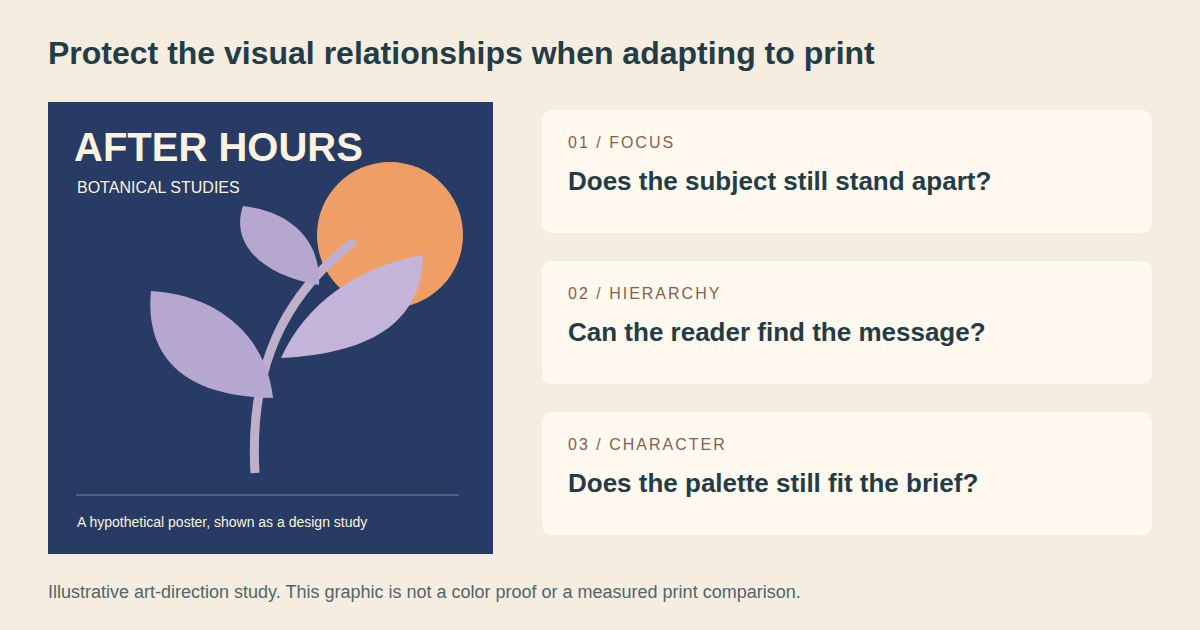
An art-direction study, not a printed proof or measured comparison.
Duplicate the artwork for print-specific changes and keep the original available. Give each variation a clear label. Your aim is to compare deliberate choices, rather than accumulate several vaguely different files and choose from memory.
Begin with the smallest change that addresses the observed problem. That could involve a supporting color, a lighter area behind the subject, or a more open composition. You don't have to replace the whole palette because one relationship has weakened.
Restore separation before adding intensity
Return to the hypothetical blue-and-purple poster. Make a version with a lighter background, another with a changed supporting hue, and another with a clearer edge around the plant. Compare each under the same proof setup.
Ask which version preserves the botanical shape and the intended evening mood. The brightest option doesn't automatically answer both questions. A slightly quieter palette may communicate more clearly if the main forms remain distinct.
Change one relationship at a time during the initial comparison. If you alter the background, headline, crop, and accent together, you'll struggle to explain which choice helped. Keep a note of the problem each variation was intended to address.
Give color less work when necessary
Sometimes placement can solve a problem more cleanly than another palette adjustment. Move small text onto a calmer area. Increase the space around the accent. Simplify a texture that interferes with the subject.
Our poster typography hierarchy guide can help you decide which information needs the strongest route through the page. A date shouldn't rely on a delicate color difference alone when its size and position could make it easier to find.
For illustration, inspect the silhouette and the major shapes. If recognition depends on a subtle boundary that is vulnerable in print, consider whether drawing or composition can make that boundary clearer. Preserve the intent with the tools available to you.
Keep neutrals, dark detail, and text in the review
A vivid accent can dominate the discussion while quieter parts of the design receive little attention. Look at neutral areas, skin tones where relevant, dark details, and small lettering. Decide what each needs to communicate in the finished piece.
Ask the printer about the treatment of black text and large dark areas for the actual job. Avoid adopting a universal ink recipe from an unrelated project. Your visual review and their production checks should support the same intended result.
Stop making variations when you have a small set of defensible options. Each should have a reason to exist and a tradeoff you can describe to the client.
Approve a print version with the client
Present the options in the context where they will be used. A color square on its own can help a narrow matching discussion, but it doesn't show whether a poster, label, or illustration still works as a whole. Include the real composition and the important details.
Explain what changed without dramatizing the medium's limitations. You might say: “This version keeps the plant clearer against the background under the proposed print condition. The background is lighter, and the headline remains the main invitation.” That gives the client something concrete to judge.
Define what the proof is approving
Agree with the printer on the proof's purpose and limitations. Does it represent color for the intended production condition, physical size and positioning, or mainly content and layout? Those are different checks, and an approval note should identify which were performed.
If the material is important to the result, discuss how it will be represented or tested. A paper proof may answer some questions while leaving the behavior of another substrate unresolved. Don't promise that a proof on an unrelated material settles every production decision.
Review under consistent, appropriate conditions agreed for the job. Keep the approved physical reference where practical. A phone photograph can help communicate an issue, but it shouldn't silently replace the reference everyone agreed to use.
Ask for decisions rather than general reactions
Use specific questions: can the main subject be identified, does the accent carry the intended energy, is the important text easy to read, and is the brand treatment acceptable for this application? Separate those answers from a general preference for a brighter or darker image.
Review question | What to inspect | Decision to record |
|---|---|---|
Is the main idea still clear? | Subject, silhouette, and visual focus | Whether the concept survives the adaptation |
Does the palette retain its character? | Dominant color and supporting relationships | Which variation best fits the brief |
Can people find the practical information? | Headline, date, address, or next step | Any changes to hierarchy or placement |
Is the brand treatment acceptable? | Agreed reference in the actual application | Approval or a required production discussion |
What remains uncertain? | Material, proof scope, or untested details | Who will resolve it before the run |
Make a conditional approval visible
If the client approves the layout but is still waiting for a color proof, say so in the record. Don't mark the entire job approved. Name the remaining decision and the person responsible for it.
When the proof reveals a problem, return to the relevant design relationship. Save the correction as a new version, prepare the new delivery file, and confirm that the change reached it. An approval from an earlier version doesn't automatically cover the correction.
The aim is a shared decision about a specific print version. Capture that decision so the next handoff doesn't depend on someone's memory of a meeting.
Hand off the design intent with the files
Keep the editable source, print-specific adjustments, delivery file, and approval record together. Include the profile or production requirements supplied for the job and identify where conversion was handled. Retain the original artwork for digital uses or another destination.
Add a short note describing the visual priorities. For the hypothetical poster, that could be: preserve the plant's separation, keep the headline dominant, and maintain the quieter evening background. Those notes explain why the approved version differs from the screen-led original.
Give the next designer a usable reference
Record which version was approved, what the proof represented, and any restrictions on reuse. If the stock or printing process changes, revisit the preparation and approval with the production contact. A previous result is a useful reference, not a guarantee for a different job.
For repeated brand work, document the approved print application alongside the digital palette. Explain where a print-specific alternative belongs. That is more useful than leaving someone to guess whether two different-looking examples are mistakes or intentional adaptations.
Keep production instructions separate from informal feedback. The printer needs to know what file to use and what conditions were agreed. The creative team needs to understand which relationships the design is protecting. Both should point to the same approved result.
Review the finished object when it arrives
Compare the delivered work with the agreed reference and approval conditions. If something differs, identify the version, material, and affected area before requesting a correction. A specific description gives the production team a better starting point than “the colors are wrong.”
Keep any useful findings for the next run. Perhaps the accent needs its own production discussion earlier, or a quieter background makes the artwork more adaptable. Record what was actually observed rather than turning one result into a rule for every printer.
RGB to CMYK becomes easier to manage when the design decisions are clear. Protect the message, make the visual tradeoffs visible, and approve the print version that serves the brief. The final file should carry those decisions forward as carefully as it carries the artwork.
Linh Nguyen
Graphic Designer
Passionate Graphic Designer | Specializing in Illustration Design | Bringing Captivating Visuals to Life