5 Websites for Free 3D Illustrations: Formats and Limits
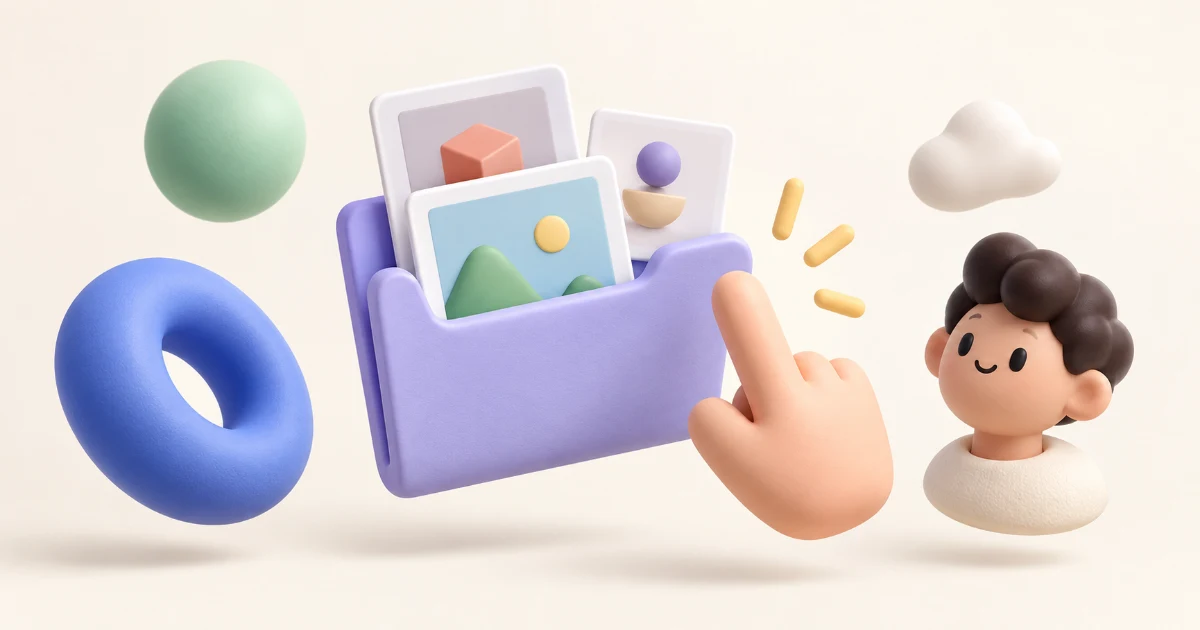
Start with 3dicons for object icons, HANDZ for hand gestures, Shapefest for abstract shapes, Icons8 for characters, and IconScout for a changing selection of free assets. Each offers a useful route to 3D visuals, but the free downloads differ in resolution, attribution requirements, and access to editable files.
A good-looking preview doesn't tell you what you'll receive. You might get a transparent PNG ready for a slide, a small sample from a paid collection, or a model you can open in 3D software. This guide compares the published offers so you can choose a library that fits the job.
Key Takeaways
Start with the original 3dicons collection when you want a clearly documented CC0 option.
Check the free download's size and file type before building a layout around it.
Read the terms for the specific asset. Free samples, daily promotions, and paid collections can carry different conditions.
Free 3D illustration websites at a glance
Website | Good fit | Published free offering | Main limit to check |
|---|---|---|---|
Object icons for interfaces and presentations | Original CC0 collection, with PNG and Figma downloads | Newer premium collections aren't automatically covered by the original offer | |
Gestures, pointing hands, and callouts | Free pack listing 900 PNG renders | Free Blender-source availability is unclear across its pages | |
Abstract shapes and material studies | Some packs at 512 × 512 pixels | Larger 3,000 × 3,000 versions are paid | |
Character illustrations | Free PNG use with link attribution | Free downloads have size and format limits | |
Browsing different styles and subjects | Daily promotional assets, including 3D graphics | Offers expire; formats and attribution depend on the asset |
1. 3dicons: a starting point for free object icons
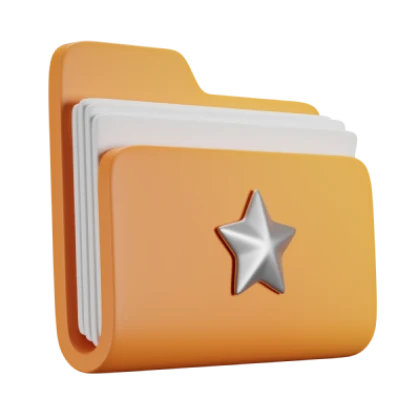
The original 3dicons collection is a practical choice for small objects that support a message: folders, tools, symbols, and other recognizable items. Its original download page identifies the collection as free for personal and commercial use under CC0 and provides PNG and Figma download routes.
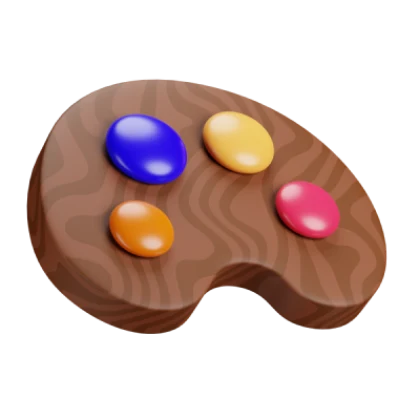
Example from the original 3dicons collection by Vijay Verma, released under CC0.
That makes it an appealing place to begin when you need several objects with a shared visual style. For an onboarding flow, for example, choose related icons from one collection instead of mixing a glossy object, a flat vector, and a clay character from unrelated sources.
There's an important boundary: the current 3dicons site includes premium content. The creator's about page describes the initial version's CC0 release and its Blender origins. Apply that statement to the original collection; check the terms attached to newer packs separately.
Download tip: use the PNG files for straightforward placement. A Figma file can help organize those images, but its presence alone doesn't mean you can rotate an object or edit its geometry. Look for actual source files if that's what your project needs.
2. HANDZ: ready-made hand gestures
HANDZ focuses on hands, making it a useful candidate for pointing toward a button, illustrating a gesture, or giving a presentation a more expressive focal point. The official free-version description lists 900 PNG renders, hand poses, objects, and sleeve variations.
The free Gumroad listing allows a zero-dollar price and says the pack can be used in personal and commercial projects. Follow its free-pack link rather than assuming the premium collection is included.
Source files need a closer look. The HANDZ site lists Blender sources among premium additions, while the free Gumroad description also mentions BLEND originals. Those descriptions don't provide a consistent answer about the current free archive. Choose the free pack for its documented PNG offering; confirm its contents before relying on editable Blender files.
The linked ThreeDee license allows modification and use in personal and commercial projects while restricting redistribution or resale of original files. Don't treat that as permission to repackage the hands as your own downloadable library.
For a simple callout, place the hand near the element it refers to and leave enough space for the text. A large pointing finger can overwhelm a small interface; use the illustration to support the action rather than compete with it.
3. Shapefest: abstract shapes with a clear size limit
Shapefest is worth browsing when you want abstract forms rather than characters. Its collections organize shapes by materials such as clay, plastic, glass, and metal, giving you a way to choose objects with a consistent surface treatment.
The Shapefest homepage states that some packs are available free at 512 × 512 pixels, while 3,000 × 3,000 versions are paid. That's the detail to check before you commit to an image.
A square render can work well as a small card decoration yet be a poor choice for a large banner. As a planning example, a 512-pixel image shown at 256 CSS pixels supplies two image pixels per CSS pixel. Stretch the same file across a much larger area and you have less detail available. Choose the asset at the size you intend to display it.
Shapefest's site says its images support personal and commercial projects. Its license page describes Commercial+ rights and restricts standalone redistribution. For templates or UI kits you plan to distribute, confirm the license supplied with your particular download: the site also refers to extended licensing for those uses.
Design tip: keep the material and lighting consistent. A few matching glass shapes usually create a clearer composition than a pile of unrelated objects, even if every individual asset looks attractive.
4. Icons8: character illustrations with attribution
Icons8 is a useful destination for character-based visuals. Its 3D people page offers PNG illustrations free in exchange for a link, while stating that free downloads have size and format limitations.
The tradeoff is straightforward: if the available image fits your layout and you can provide the required credit, the free offering may meet your needs. If you need a different size, another format, or a use without attribution, check the corresponding paid option before designing around it.
Icons8's free-use guidance explains how to place attribution for different uses. Plan that credit as part of the finished work. A private note in your design file won't help a viewer find the creator.
Character art can suit an onboarding screen, an empty state, or a presentation about people. Match the pose to the message: a welcoming figure and a frustrated figure do different jobs. Also check the composition at mobile size so a face, hand, or important prop doesn't disappear when cropped.
If you're assembling the layout in Illustrator, this guide to cropping images with the Crop tool or a clipping mask explains how to fit a raster image into a layout. Check the illustration's editing terms before altering the artwork itself.
5. IconScout: free selections and daily promotions
IconScout provides another route to free assets through its daily freebies page. The page includes 3D graphics and says a free account is required, with no credit card needed. Promotional assets return to paid status after their daily window ends.
Treat this as a place to browse what's available now. It isn't a guarantee that a particular illustration will still be free when you return next week. Check the selected asset's download options, since the presence of BLEND, FBX, or glTF elsewhere in the catalog doesn't mean every item includes them.
Attribution also depends on the offer. IconScout's guide for ordinary free assets instructs users to credit contributors. Its daily-promotion page says attribution is generally unnecessary for premium assets temporarily made free, subject to the specific license.
Download tip: save the asset's license information alongside the file. That gives you a record of the conditions attached to a promotion even after the product page changes.
For a project that needs six matching illustrations, check whether enough assets from the same pack are available under suitable terms. One excellent free image can become expensive to build around if all the companion pieces require a purchase.
How to choose free 3D illustrations for your project
Decide whether you need an image or a model
A rendered PNG is a flat image of a 3D scene. You can place it in a design, resize it within reason, and crop it. You can't recover the original object's geometry simply by importing that PNG into Figma.
An editable 3D file serves a different purpose. Depending on the supplied format and contents, it can let you change the camera, materials, lighting, or pose in compatible software. Check what is included rather than relying on the word “editable.”
A useful rule: if you only need to place the artwork, start with a render. If you need a different view of the object, investigate source files before downloading. This avoids spending time on a free image that can't support the edit you have in mind.
Build a small, consistent set
A second object from the same collection keeps the illustration style consistent.
Choose your key illustration first, then check for the supporting assets your layout needs. Compare camera angle, shadow direction, color saturation, and object proportions. A restrained selection is easier to integrate than a collection assembled only because each download was free.
If you need an unusual surrounding shape, use a clipping mask rather than expecting the PNG to behave like a vector path. The site's guide to cutting objects in Illustrator covers options for the vector elements you build around your illustration.
Check the final use, not just the download price
Before using an asset, answer four questions:
Does the license cover the project? Check personal or commercial use and any restrictions relevant to your intended output.
Is attribution required? Decide where the credit will appear in the finished work.
Are you distributing an image or the asset itself? A finished page and a downloadable asset pack are different uses.
Is the free file sufficient? Check dimensions, background transparency, and included formats.
Keep the original download, creator name, source page, and license together. You don't need an elaborate system; a project folder with a short license note is easier to revisit than a browser tab you closed months ago.
Frequently asked questions
Can I use free 3D illustrations commercially?
Some collections explicitly support commercial use, but there isn't one rule for all free downloads. The original 3dicons collection is released under CC0; other providers apply their own terms. Check the specific asset and intended use, especially when distributing templates or editable files.
Which option doesn't require attribution?
The original CC0 collection from 3dicons is the clearest starting point in this list. Some IconScout daily promotions also say attribution isn't generally required, but their asset-specific terms govern. Icons8's free offer explicitly requires a link.
Can I use these illustrations in Figma?
PNG renders can be placed in a Figma design as images. That doesn't turn them into editable 3D objects. Use a supplied Figma collection for convenience, and look for actual 3D source files if you need to change camera angles or geometry.
Why do free downloads have different sizes from the previews?
Some providers use smaller files or limited samples as their free offering. Shapefest, for example, documents free 512 × 512 downloads for some packs and paid 3,000 × 3,000 versions. Check the download specification rather than estimating quality from a promotional preview.
Pick the library that supplies the subject, format, and usage rights your project needs. Download one suitable asset, try it in the real layout, and check its terms before building the rest of the design around it.
Linh Nguyen
Graphic Designer
Passionate Graphic Designer | Specializing in Illustration Design | Bringing Captivating Visuals to Life